How to switch golf apps without losing your score history
Years of rounds are the main reason golfers stay with an app they are overpaying for. Here is what you can take with you, and how to bring your scores into AutoStrike with a few screenshots.
Key takeaways
- Most golf apps make it hard to take your data with you. 18Birdies says its playing data can't be exported to a spreadsheet, and we couldn't find a documented export for Golfshot, Hole19 or SwingU.
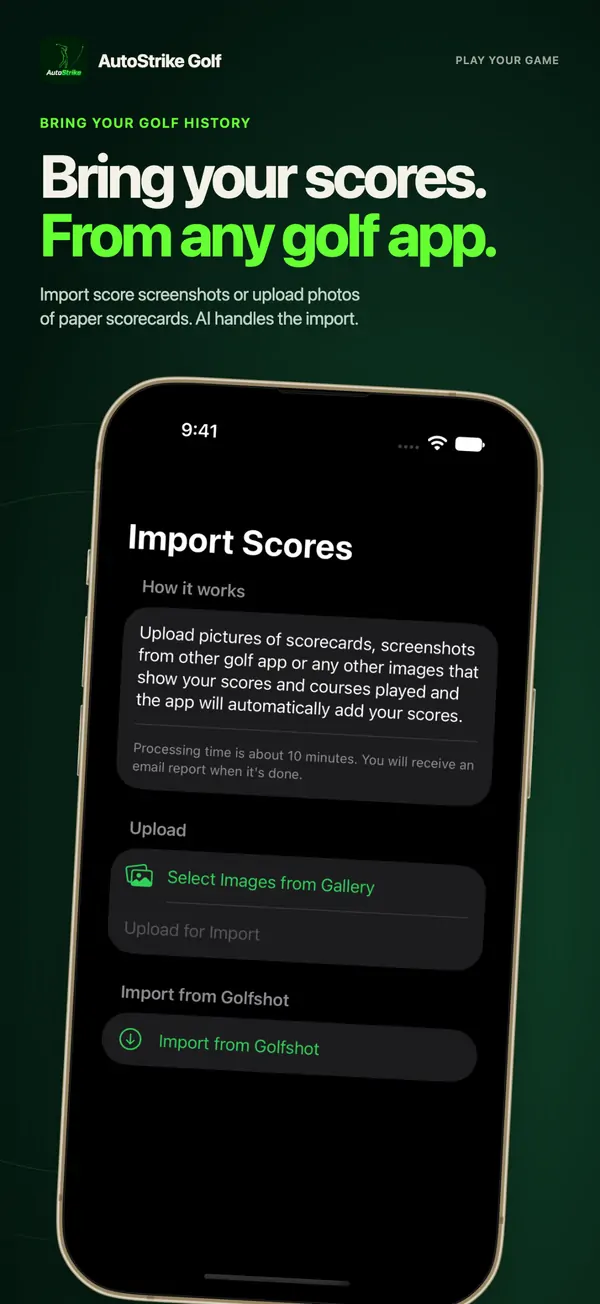
- Every app shows your scorecards on screen, though, and screenshots work as a universal export. AutoStrike's AI import reads screenshots and photos of paper scorecards and adds the courses and scores to your history.
- Switching apps doesn't change your official Handicap Index. That comes from your golf club or association, not from a scoring app.
What you can take with you from each app
We checked each company's help center and privacy policy for ways to export your rounds or bring in rounds from another app.
| App | Export your rounds | Add past rounds |
|---|---|---|
| 18Birdies | Its help center says playing data "can not be exported" to CSV, Excel or other spreadsheet formats [1]. There is a "Download Your Account Data" request page [2]. | Manual "Enter a Past Round" [3] |
| Golfshot | No export feature documented. Its privacy policy describes a right to data portability [4]. | None documented |
| Hole19 | No export documented. You can share individual rounds [5]. | Record a round, then edit its date [6] |
| SwingU | No official export documented | Add old scorecards manually on swingu.com or in the app [7] |
| AutoStrike | Not covered here | AI import from scorecard photos and screenshots of any golf app |
Based on each company's public help pages as of October 28, 2026. "Not documented" means we couldn't find it, not that it's impossible, so ask the company's support if you need a full copy of your data. We found no documented way to import rounds from another app into 18Birdies, Golfshot, Hole19 or SwingU.
How to move your scores to AutoStrike, step by step
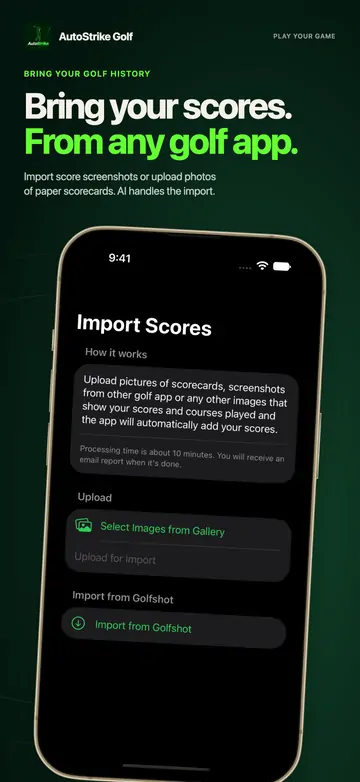
- Screenshot your past rounds. In your old app, open each round's scorecard and take a screenshot. For paper scorecards, take a photo.
- Download AutoStrike and open Import Scores.
- Select the images from your photo gallery and upload them.
- Let the AI do the rest. The courses and scores are added to your round history, and we email you when the import is done.
Tips for a clean import
- Capture the whole scorecard, including the course name and date if your old app shows them.
- Make sure the numbers are sharp and not cut off. Zoom out rather than splitting one round across many images.
- For paper scorecards, shoot flat and in good light.
- Keep your old app installed until your import email arrives, in case you need another screenshot.
Bring your history. Stop overpaying.
Import your old rounds from screenshots, then keep playing with auto shot tracking, GPS and stats for $24.99 a year.
Download free on the App StoreFree to download · free to try for your first few rounds · then AutoStrike Pro for $24.99 a year or $2.99 a month
What carries over, and what doesn't
The import works from what is visible in your images, so it's built for courses and scores. Those land in your AutoStrike round history next to the rounds you play with AutoStrike.
Shot-by-shot GPS tracks, club data, photos and social posts from your old app won't come across. If those matter to you, keep a copy, for example by requesting your data from the old app before you cancel.
What happens to your handicap?
An official Handicap Index isn't owned by a scoring app. In the US, the USGA says you get one through a golf club or course, your Allied Golf Association, or usga.org [8], and it describes the Handicap Index as "a portable number" [9]. Switching scoring apps doesn't change it. Keep posting your scores through your club or association.
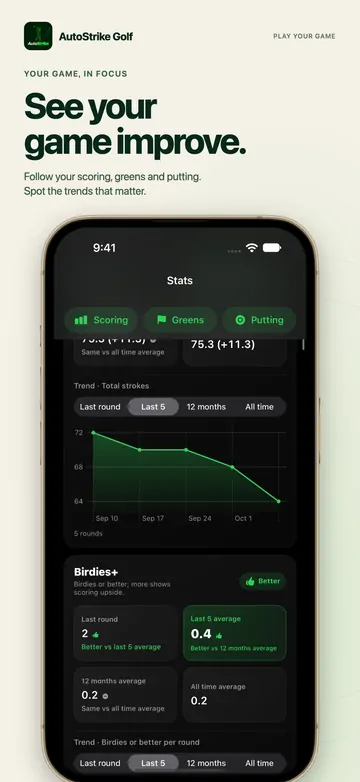
AutoStrike calculates its own handicap index from your rounds using World Handicap System rules. It's useful for tracking your progress, but it doesn't replace an official Handicap Index.
An affordable alternative to 18Birdies, Golfshot, Hole19 and SwingU
The usual reason golfers want to switch is price. As of October 2026, 18Birdies Premium and SwingU Pro are $99.99 a year, Golfshot Pro is $79.99 and Hole19 Premium Pro is $69.99. AutoStrike Pro is $24.99 (see the full price comparison). Pro includes auto shot tracking on Apple Watch (see how it compares with sensors and golf watches), GPS yardages with plays-like elevation, live multiplayer, handicap tracking, stats and trends, with no ads.
Those apps have strengths too, such as large free tiers, AR views and strokes-gained analytics. If you rely on one of those features, check that AutoStrike covers what you need before you cancel.
When to switch
- Before your renewal date. App Store subscriptions renew automatically. You can cancel in your iPhone's Settings under your name, then Subscriptions [10].
- After you've captured your history. Take your screenshots first. If your old app has a free tier, your rounds may stay viewable after you cancel, but check before you delete your account.
- Try AutoStrike first. It's free to download and free to try for your first few rounds.
Frequently asked questions
Can I export my rounds from 18Birdies?
18Birdies says its playing data can not be exported to CSV, Excel or other spreadsheet files. It does have a page where you can request a download of your account data. To move your scores into AutoStrike, screenshots of your 18Birdies scorecards work with AI import.
Can I import scores from another golf app into AutoStrike?
Yes. Take screenshots of past rounds in any golf app, or photos of paper scorecards, and upload them in Import Scores. AI adds the courses and scores to your round history, and we email you when the import is done.
Will I lose my handicap if I switch golf apps?
No. An official Handicap Index is issued through an authorized golf club or association, not a scoring app, and the USGA describes it as portable. Keep posting scores through your club or association. AutoStrike also calculates its own handicap index from your rounds on World Handicap System rules, for tracking.
Does AutoStrike import shot-by-shot data from my old app?
No. The import is built for courses and scores read from your images. Shot-by-shot GPS tracks, club data and photos from your old app do not come across.
Is AutoStrike a good alternative to Golfshot or 18Birdies?
If you want GPS yardages, automatic shot tracking on Apple Watch, live multiplayer, handicap tracking and stats for less, AutoStrike Pro is $24.99 a year, compared with $79.99 for Golfshot Pro and $99.99 for 18Birdies Premium as of October 2026. If you rely on extras such as AR views or strokes-gained analytics, compare those features first.
Stop overpaying. Start playing.
Auto shot tracking on Apple Watch, GPS yardages with plays-like elevation, live multiplayer, handicap and stats. AutoStrike Pro is $24.99 a year.
Download free on the App StoreFree to download · free to try for your first few rounds · then AutoStrike Pro for $24.99 a year or $2.99 a month
Sources
Prices are US App Store or official US prices in USD, as of October 28, 2026. Prices change and can vary by region, promotion and platform, so check the current price before you subscribe.
- Can I export 18Birdies data to a CSV or Excel spreadsheet? (18Birdies Help Center), accessed Oct 28, 2026.
- Download Your Account Data (18birdies.com), accessed Oct 28, 2026.
- Entering a past round (18Birdies Help Center), accessed Oct 28, 2026.
- Golfshot Privacy Policy (golfshot.com), accessed Oct 28, 2026.
- Share your rounds (Hole19 Help Center), accessed Oct 28, 2026.
- Edit round date (Hole19 Help Center), accessed Oct 28, 2026.
- Can I add a scorecard manually? (SwingU Help), accessed Oct 28, 2026.
- Handicapping 101, World Handicap System (USGA), accessed Oct 28, 2026.
- What is a Handicap Index? (USGA), accessed Oct 28, 2026.
- Cancel a subscription from Apple (Apple Support), accessed Oct 28, 2026.
Disclosure: this guide is published by AutoStrike Golf, the maker of one of the apps compared. We have tried to keep it fair: every competitor price and feature above links to the company's own website, help center or App Store listing. Spotted something out of date? Tell us and we will fix it. 18Birdies, Golfshot, Hole19, SwingU, Arccos, Garmin and Apple Watch are trademarks of their respective owners.